
![main logo[1]](https://starfield.gg/wp-content/uploads/2026/03/Main_logo1.png)
Starfield Cruise Mode: The Ultimate Autopilot & Ship Management Guide

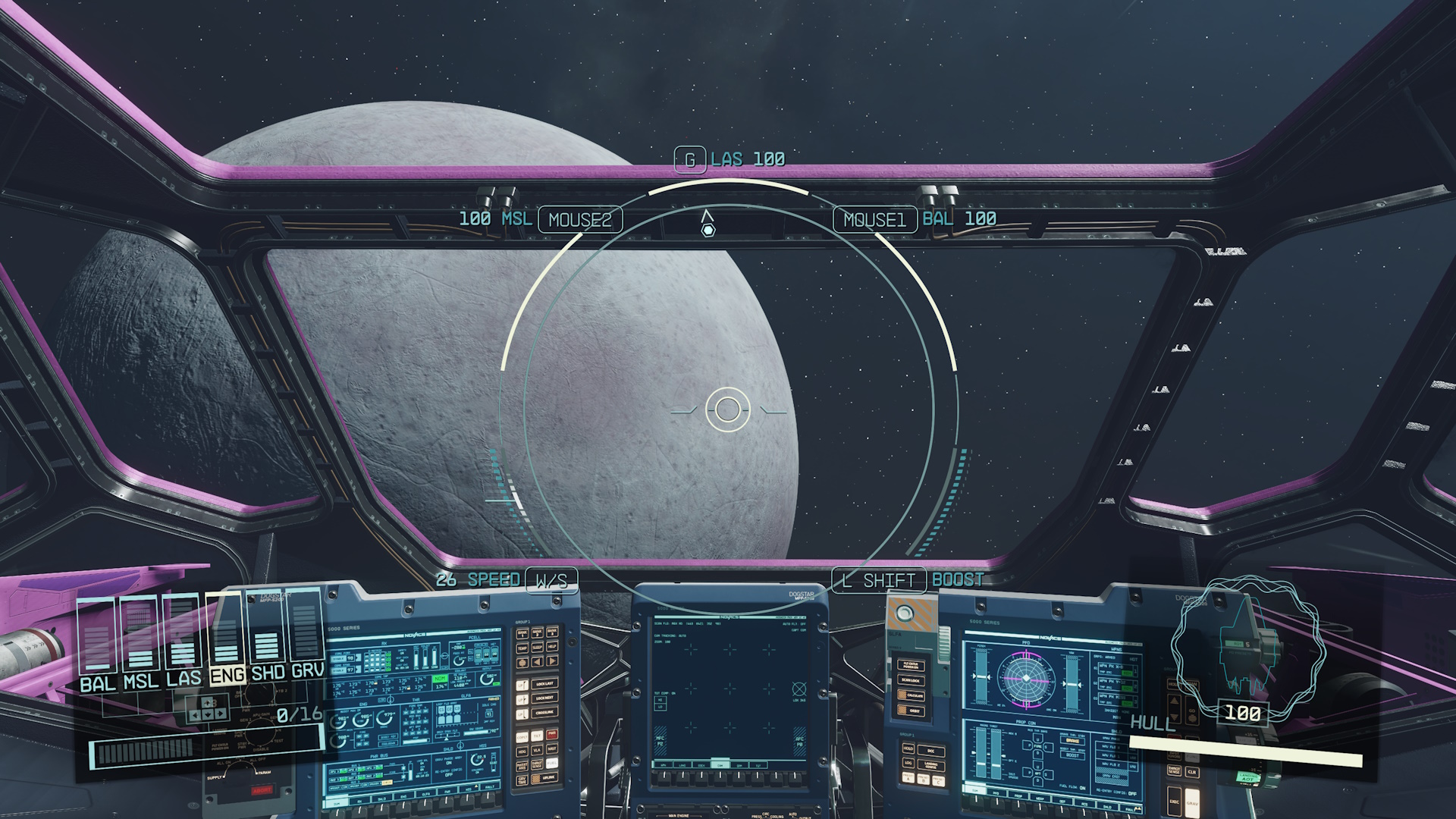
The Free Lanes expansion has fundamentally changed how we traverse the Settled Systems. While the 2023 launch of Starfield focused on the “jump” between stars, the 2026 update focuses on the space between the planets. Cruise Mode isn’t just a quality-of-life update; it is a mechanical shift that allows for deeper ship management, crew interaction, and tactical preparation.
In this comprehensive guide, we will break down everything from the basic activation of the autopilot to advanced strategies for using the new Ship Optimization Terminal while in transit.
What is Cruise Mode? (The 2026 Flight Meta)
For years, players complained that space felt like a series of loading screens. Cruise Mode solves this by allowing for continuous, sub-light travel within a star system. Unlike the “Fast Travel” map, Cruise Mode physically moves your ship through the world space at accelerated speeds.
Key Definition: Cruise Mode is an automated flight state that maintains a constant heading toward a local waypoint, allowing the player to exit the pilot’s seat without halting the ship’s momentum.
Why Use Cruise Mode Over Fast Travel?
- Random Encounters: Traveling via Cruise Mode increases your chance of triggering “Deep Space Encounters,” such as derelict ships, wandering traders, or the new Terran Armada Incursions.
- XP Gains: Flying manually (or via Cruise) grants “Pilot Hours,” a new metric used to unlock Tier 5 Ship Command skills.
- Immersion: For roleplayers, seeing the transition from a moon’s orbit to a planet’s atmosphere in real-time is the definitive Starfield experience.
How to Activate Cruise Mode: A Step-by-Step Breakdown
Activating the autopilot requires your ship to be in a “Stable Flight State.” Here is the technical checklist:
1. Clearing the “Gravity Well”
You cannot engage Cruise Mode while docked or within the immediate atmosphere of a planet. You must reach an altitude of at least 5,000km from a celestial body before the HUD prompt will appear.
2. Targeting the Waypoint
Open your scanner [F on PC / LB on Xbox] and hover over a distant moon or space station. Alternatively, set a course in your Starmap. Once targeted, the “Cruise Mode Available” icon (a stylized blue chevron) will glow on your dash.
3. The Activation Command
- PC Users: Press and hold [X] for three seconds.
- Console Users: Press and hold [Square / X].
- Audio Cue: Your ship’s AI (or your chosen voice pack) will announce, “Autopilot engaged. Course locked.”
Maximizing Your Time: The Ship Optimization Terminal
Once your ship is cruising, the real game begins. You are no longer a pilot; you are a Commander. Head to the Ship Optimization Terminal, a new module added in the Free Lanes update.
Calibrating Your Reactor
While in Cruise Mode, you can “Overclock” your reactor. This is a mini-game that, if successful, provides a 15% boost to shield capacity or weapon recharge rates for the next 30 minutes of gameplay.
The X-Tech Integration
If you have collected X-Tech Resource Fragments from the new high-level Starborn temples, the Optimization Terminal is where you slot them.
- Red X-Tech: Increases ballistic damage.
- Blue X-Tech: Reduces Grav Jump spin-up time.
- Green X-Tech: Enhances Cruise Mode top speed by 25%.
Crew Management: Muria and the Mini-Bot
One of the best features of the 2026 update is how it revitalized ship interiors. While your ship is on autopilot, your crew isn’t just standing around and they are performing maintenance.
Interaction Benefits
- Muria (The GalBank Specialist): Talking to Muria while in flight can trigger “Financial Briefings,” which can lower your registered bounty costs or increase your interest gains on credits stored in ship safes.
- The Mini-Bot: Interacting with your Mini-Bot during Cruise Mode allows you to “Re-program” its personality. You can set it to Combat Support, Janitorial (increases hull health slightly), or Scout (increases sensor range).
Risks: When Cruise Mode Fails
Autopilot is not a “set and forget” invulnerability button. There are three major threats that will force you back to the cockpit.
1. Interdiction (Terran Armada)
The Terran Armada faction uses “Interdiction Nets.” If you fly through an patrolled sector, your ship will be violently yanked out of Cruise Mode. You will have approximately 5 seconds to reach the pilot’s seat before your shields are targeted.
2. Space Debris and Asteroid Belts
While the AI is good at avoiding large planets, it is terrible at navigating dense asteroid fields. If you engage Cruise Mode through a ring system (like those around Saturn or Aranae IV), your hull will take chip damage. Always check your flight path on the Starmap for “High Density Debris” warnings.
3. The “Ghost in the Machine” Bug
SEO Tip: Mentioning bugs helps capture “Fix” and “Help” traffic. Some players have reported the “Spinning Cockpit” glitch where the ship enters a death roll upon exiting Cruise Mode. To fix this, simply toggle your landing gear or quick-save/quick-load while standing in the hab.
Advanced Pro-Tips for starfield.gg Readers
- The “Sling-Shot” Maneuver: Engage Cruise Mode toward a gas giant, then disengage just as you hit the gravity well. This preserves your momentum, allowing you to travel at “Extreme Speed” while manual piloting.
- Silent Running: Lower your engine power to 1 bar before engaging Cruise Mode. The autopilot will move slower, but you will be nearly invisible to Crimson Fleet scanners.
- The “Kitchen” Buff: Use the galley while in flight. Consuming “Grandma’s Meatloaf” while the ship is in Cruise Mode now provides a hidden +10 to the Piloting skill for the duration of the flight.
Conclusion: A New Era of Exploration
Cruise Mode has turned the “down-time” of Starfield into some of its most engaging “up-time.” By mastering the Ship Optimization Terminal and using your flight time to manage your crew, you turn your vessel from a simple transport into a mobile fortress.
Whether you are preparing for a PS5 launch playthrough or you are a veteran of the Terran Armada wars, Cruise Mode is your greatest tool for efficiency.
Related Starfield Guides
For more on the Free Lanes update and everything that changed in 2026, see the full Starfield Free Lanes Update & Terran Armada DLC breakdown and the Starfield Update 1.16.236 Patch Notes. For ship builds that take advantage of Cruise Mode, check out the Best Starfield Ship Builds Tier List 2026. New to the game? Start with our Starfield NG+ Guide 2026 to understand how the Free Lanes feature interacts with New Game Plus.
For more on the Free Lanes update and everything that changed in 2026, see the full Starfield Free Lanes Update & Terran Armada DLC breakdown and the Starfield Update 1.16.236 Patch Notes. For ship builds that take advantage of Cruise Mode, check out the Best Starfield Ship Builds Tier List 2026. New to the game? Start with our Starfield NG+ Guide 2026 to understand how the Free Lanes feature interacts with New Game Plus.